Two fields, one object.
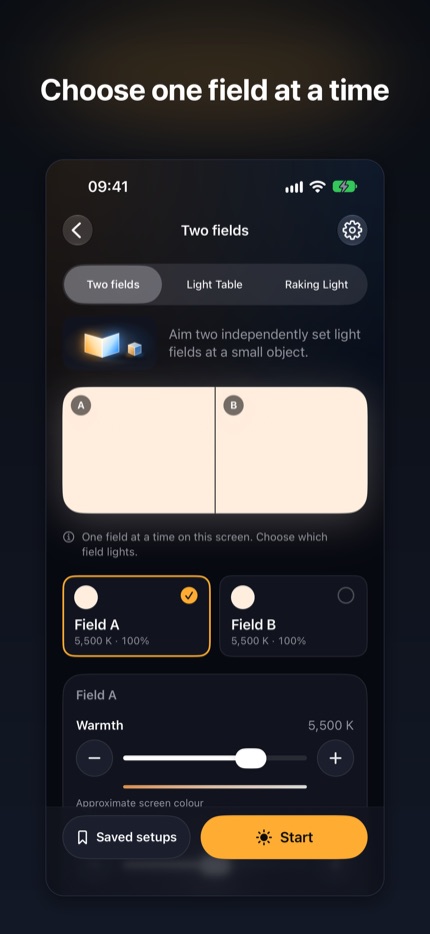
Set the warmth, tint and brightness of each side separately, then aim them at your subject by folding the phone. On a single screen, FoldLit shows one field at a time and keeps both settings.
 FoldLit
Mirror & Studio Light
Turn your iPhone screen into two independently set light fields for small objects, with a light table and raking light to bring out surface detail. Switch to “Your face” for a soft mirror light.

For iPhone · iOS 27 or later · folds with iPhone Duo
Made for the way you use it
Set the warmth, tint and brightness of each side separately, then aim them at your subject by folding the phone. On a single screen, FoldLit shows one field at a time and keeps both settings.
Use the Light Table for film, slides and translucent subjects. Pro adds Raking Light, a narrow band you position to reveal surface detail.
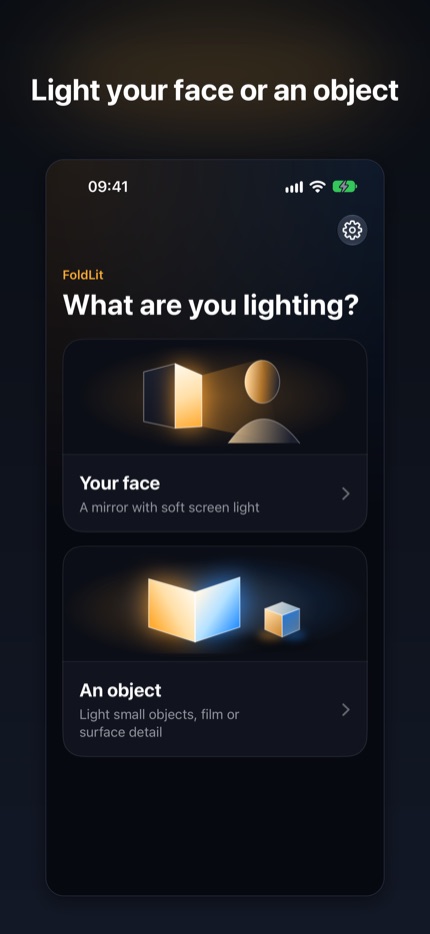
Choose “Your face” for a live front-camera mirror inside an adjustable screen light. The mirror runs on your iPhone: FoldLit never saves, uploads or analyses camera images.
Free to get going
The live mirror, face light, Two fields and Light Table are free, with no session limits. A one-off Pro unlock adds extra presets, named setups saved on your phone and Raking Light.
No subscription, no adverts and no account. See the App Store for the current local price.
Explore FoldLit on the App Store ↗FoldLit needs iOS 27.0 or later on iPhone. The fold-aware layouts need iPhone Duo with iOS 27.1 or later; other iPhones use a single-screen layout.
FoldLit uses your screen as a close light source, so the result depends on your iPhone, its temperature and iOS limits. It is a practical light, not a calibrated studio light, and colours are approximate.
Only “Your face” uses the front camera, to show a live mirror. “An object” works without it, and you can choose light only.
Use Restore Purchases in FoldLit Settings with the Apple Account that bought Pro.